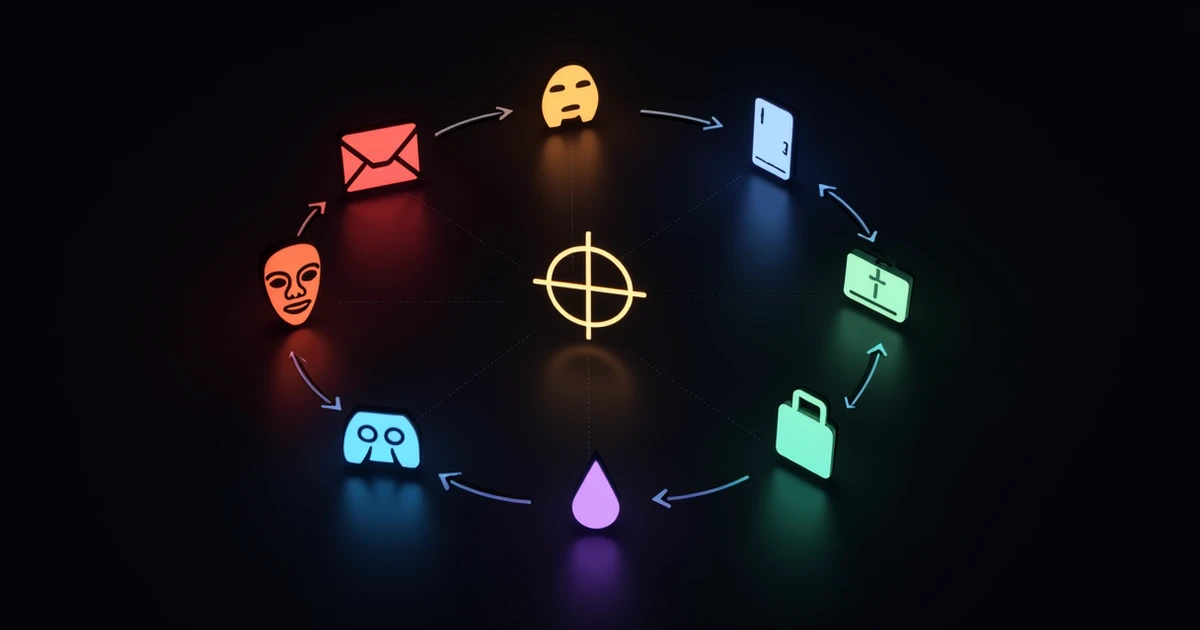
Social engineering is the art of manipulating people into divulging confidential information or performing actions that compromise security. According to the Verizon 2024 Data Breach Investigations Report, 68% of data breaches involve a human element, with social engineering being the primary method attackers use to exploit that weakness. The FBI Internet Crime Complaint Center (IC3) 2023 Report documented over $12.5 billion in total cybercrime losses, with social engineering schemes accounting for the majority of complaints. Understanding these eight techniques -- how they work, what they look like, and how to defend against them -- is the foundation of any effective security awareness program.
- 68% of data breaches involve a human element, with social engineering as the primary exploitation method (Verizon DBIR 2024).
- Eight distinct social engineering techniques target businesses, each requiring specific countermeasures.
- Business Email Compromise alone caused $2.9 billion in losses in 2023 (FBI IC3).
- Red flags like urgency, authority pressure, and unusual requests are common across all social engineering types.
- Structured awareness training reduces social engineering susceptibility by 70% (SANS 2024).
Understanding Social Engineering: Psychology Before Technology
Social engineering exploits six fundamental psychological principles identified by Dr. Robert Cialdini: reciprocity, commitment, social proof, authority, liking, and scarcity. Attackers combine these principles with research about their targets to craft convincing pretexts that bypass rational thinking. The SANS 2024 Security Awareness Report notes that organizations with mature security awareness programs experience 70% fewer successful social engineering attacks -- proof that education is the most effective countermeasure against psychological manipulation.
Technique 1: Phishing
Phishing is the most widespread social engineering technique, using fraudulent emails, websites, or messages to trick victims into revealing credentials, downloading malware, or transferring funds. The Anti-Phishing Working Group (APWG) recorded over 4.7 million phishing attacks in 2023, a record high.
How It Works
Attackers send mass emails impersonating trusted entities -- banks, cloud services, shipping companies, or internal IT departments. These messages typically contain a malicious link leading to a credential harvesting page or an attachment carrying malware. The median time for a user to click a phishing link is 21 seconds after opening the email (Verizon DBIR 2024).
Real-World Example
In 2023, a mass phishing campaign impersonated Microsoft 365 login pages across European organizations. The attackers sent emails claiming "urgent security updates" required immediate action. Over 10,000 credentials were harvested in the first 48 hours, giving attackers access to corporate email accounts, SharePoint files, and Teams conversations.
Detection Red Flags
- Generic greetings ("Dear Customer") instead of your name.
- Sender address that does not match the claimed organization's domain.
- Urgency language: "Act immediately," "Your account will be suspended."
- Mismatched or shortened URLs that do not lead to the legitimate site.
Countermeasures
- Deploy DMARC, SPF, and DKIM email authentication at enforcement level.
- Implement email gateway filtering with sandbox analysis for attachments and URLs.
- Run monthly phishing simulations through Orizon AWARE to train employees.
- Enable multi-factor authentication (MFA) on all accounts to neutralize stolen credentials.
Technique 2: Spear Phishing
Unlike mass phishing, spear phishing targets specific individuals using personalized information. The Verizon DBIR 2024 reports that spear phishing is involved in 71% of APT (Advanced Persistent Threat) attacks, making it the weapon of choice for sophisticated threat actors.
How It Works
Attackers research their targets through LinkedIn profiles, company websites, social media, press releases, and public filings. They craft emails that reference real projects, colleagues, or events to establish credibility. A spear phishing email might appear to come from your CEO, a known vendor, or a project collaborator.
Real-World Example
A European aerospace company was targeted by attackers who spent weeks researching LinkedIn profiles of engineering team members. The attackers sent emails from a spoofed domain that differed from the real supplier domain by one character, referencing an actual ongoing project. Three engineers clicked the attached "updated specifications" PDF, which installed a remote access trojan. The attackers maintained access for 47 days before detection, exfiltrating proprietary design documents.
Detection Red Flags
- Emails from known contacts but with slightly different email addresses or domains.
- Unexpected attachments or requests, even from familiar senders.
- References to projects or information that seem slightly outdated or inaccurate.
- Requests to bypass normal procedures ("Don't mention this to anyone yet").
Countermeasures
- Implement banner warnings for emails from external senders or first-time contacts.
- Train employees to verify unexpected requests through a separate communication channel.
- Limit the amount of employee and organizational information publicly available online.
- Use advanced email security with AI-based analysis of sender behavior patterns.
Technique 3: Pretexting
Pretexting involves creating a fabricated scenario (a pretext) to engage the victim and extract information or access. Unlike phishing, which relies on a single deceptive message, pretexting often involves sustained interaction and role-playing. According to the Verizon DBIR, pretexting incidents doubled between 2022 and 2024.
How It Works
The attacker assumes a false identity -- IT support, a vendor, a new employee, a regulatory auditor -- and builds a believable story to justify their requests. Pretexting attacks often begin with phone calls or in-person interactions before moving to email or digital channels. The attacker may make multiple contacts over days or weeks to build trust before making their critical request.
Real-World Example
An attacker called the accounts payable department of a mid-size Italian company, claiming to be from a key supplier's finance team. They referenced real invoice numbers (obtained from a previously compromised email) and explained that the supplier had changed banks. Over three phone calls spanning two weeks, the attacker built rapport with the AP clerk and eventually obtained a change in banking details. Three payments totaling EUR 340,000 were redirected before the fraud was discovered.
Detection Red Flags
- Callers who cannot be verified through official contact directories.
- Requests for information that should not require external sharing.
- Stories that create urgency or emotional pressure to act quickly.
- Any request to change payment details, credentials, or access permissions.
Countermeasures
- Establish mandatory callback verification procedures for all financial and access changes.
- Create a culture where employees feel empowered to challenge and verify identities.
- Implement dual-authorization for any changes to payment routing or vendor details.
- Document and share pretexting scenarios in regular training sessions.
Technique 4: Baiting
Baiting exploits human curiosity by offering something enticing -- a free USB drive, a music download, a prize -- that delivers malware or compromises security when the victim takes the bait. The SANS Institute found that 45% of employees will pick up and plug in a USB device found in a parking lot or common area.
How It Works
Physical baiting involves leaving malware-infected USB drives, external hard drives, or CDs in locations where target employees will find them -- parking lots, lobbies, conference rooms, or mailed as promotional items. Digital baiting offers free software, media downloads, or "exclusive access" that requires downloading a file or visiting a malicious site.
Real-World Example
In a notable security test, researchers dropped 297 USB drives across a university campus. 48% of the drives were plugged into computers, with the first one connected within just 6 minutes of being dropped. In a corporate version of this attack, USB drives labeled "Q4 Salary Adjustments" were dropped in a company's parking garage, and 62% were plugged in by employees within 24 hours.
Detection Red Flags
- Found USB drives, discs, or storage devices in company areas.
- Unsolicited promotional USB drives received by mail.
- Offers of free software, media, or services that seem too good to be true.
- Websites that require downloading special players or plugins to view content.
Countermeasures
- Disable USB autorun on all corporate machines through group policy.
- Implement endpoint protection that scans removable media before allowing access.
- Establish a clear policy: never plug in found or unsolicited storage devices.
- Report found devices to IT security for forensic analysis.
Technique 5: Quid Pro Quo
Quid pro quo attacks offer a service or benefit in exchange for information or access. The attacker poses as someone providing help -- usually IT support -- and uses the interaction to extract credentials or install malicious software.
How It Works
The most common form involves attackers cold-calling employees while impersonating IT help desk support. They offer to help fix a technical issue (sometimes one they created by flooding the target with error messages) and ask the employee to provide credentials, disable security software, or install a "fix" that is actually malware.
Real-World Example
Attackers targeted a Spanish financial services firm by calling random extensions claiming to be from IT support. They told employees that their workstations had been "flagged for a security update" and needed remote assistance. 12 employees provided their credentials and granted remote access. The attackers used these credentials to access the company's customer database, compromising 28,000 client records.
Detection Red Flags
- Unsolicited calls or messages from "IT support" you did not contact.
- Requests to share passwords or disable security software.
- Offers to install software or grant remote access for "maintenance."
- Help desk contacts that cannot provide a valid ticket number or reference.
Countermeasures
- Establish a policy that IT support will never ask for passwords via phone or email.
- Use a ticketing system where all support requests must be initiated by the employee.
- Train employees to verify any unsolicited support contact through official channels.
- Implement caller verification procedures for the help desk.
Technique 6: Tailgating (Piggybacking)
Tailgating is a physical social engineering technique where an unauthorized person follows an authorized employee through a secured entry point. Despite advances in digital security, physical access remains a critical vulnerability that many organizations underestimate.
How It Works
The attacker waits near a secured entrance and follows an employee through the door, often carrying boxes or equipment to appear as a delivery person or contractor. They may also approach employees at smoking areas or cafeterias to build rapport before requesting access. Social pressure makes many employees reluctant to challenge someone who appears to belong.
Real-World Example
During a physical penetration test for a European corporate headquarters, a tester wearing a delivery uniform and carrying packages gained access to 4 of 5 secured floors by simply following employees through badge-access doors. Only one employee in 23 encounters challenged the tester's access. Once inside, the tester was able to access unlocked workstations, connect to the corporate network, and photograph sensitive documents on desks.
Detection Red Flags
- Individuals without visible badges or identification in secured areas.
- People following closely behind you through badge-access doors.
- Unfamiliar faces in areas with limited regular traffic.
- Requests to hold doors open from people carrying items or equipment.
Countermeasures
- Install mantrap or turnstile entry systems that allow only one person at a time.
- Train all employees that challenging access is expected behavior, not rudeness.
- Require visible badge display at all times within secured areas.
- Implement visitor management systems with escort requirements.
Technique 7: Watering Hole Attacks
Watering hole attacks compromise websites that are frequently visited by a specific target group, infecting those sites to deliver malware to the intended victims. These attacks are particularly insidious because they exploit trusted websites rather than requiring direct contact with the victim.
How It Works
Attackers identify websites regularly visited by employees of the target organization -- industry forums, professional association sites, supply chain portals, or regional news sites. They compromise the website by injecting malicious code that exploits browser vulnerabilities or delivers drive-by downloads. When employees visit the compromised site, their devices are silently infected.
Real-World Example
In the well-documented "VOHO" campaign, attackers compromised a regional business development website frequently visited by employees of defense contractors. The site was injected with a zero-day exploit that infected visitors' machines with a remote access trojan. Over 30 organizations were compromised before the watering hole was identified and cleaned. The attackers specifically chose a site used by their target community rather than attempting to phish each organization individually.
Detection Red Flags
- Unexpected browser behavior or pop-ups when visiting familiar websites.
- Security tools flagging known-good websites as compromised.
- Multiple employees experiencing similar malware infections around the same timeframe.
- Network traffic anomalies originating from visits to specific websites.
Countermeasures
- Keep browsers and plugins fully patched with automatic updates.
- Deploy browser isolation technology for web browsing sessions.
- Use DNS filtering to block known malicious domains and newly registered domains.
- Monitor network traffic for unusual patterns associated with compromised websites.
Technique 8: Business Email Compromise (BEC)
BEC is the most financially devastating social engineering technique, combining elements of spear phishing and pretexting to impersonate executives, vendors, or partners and redirect payments or extract sensitive data. The FBI IC3 2023 Report documented $2.9 billion in BEC losses, making it the costliest cybercrime category. The average loss per BEC incident exceeds $125,000.
How It Works
BEC attacks follow one of several patterns: CEO fraud (impersonating an executive to request urgent wire transfers), vendor impersonation (redirecting invoice payments to attacker-controlled accounts), attorney impersonation (claiming to handle confidential transactions), or payroll diversion (requesting changes to employee direct deposit information). Attackers often gain access to legitimate email accounts through prior phishing or purchase compromised credentials on dark web markets.
Real-World Example
A multinational company operating in Italy and Spain lost EUR 1.2 million when attackers compromised the email account of their CFO. Using the legitimate account, attackers monitored email conversations for three weeks to understand the company's payment processes and vendor relationships. They then sent an email to the finance director requesting an urgent payment to a "new vendor" for an "acquisition-related expense," using language and formatting consistent with the CFO's communication style. The payment was processed within hours because it came from the real CFO's email address.
Detection Red Flags
- Urgent requests for wire transfers or payment changes, especially involving new accounts.
- Requests to bypass normal approval processes ("Handle this personally and confidentially").
- Changes to vendor banking details without prior notice or formal documentation.
- Email requests for sensitive employee or financial information from executives.
Countermeasures
- Implement mandatory callback verification for all wire transfers and payment changes using a pre-established phone number, not one provided in the email.
- Require dual authorization for payments above a defined threshold.
- Deploy email security that detects account takeover and impersonation patterns.
- Establish clear processes for vendor banking changes with written confirmation requirements.
Universal Defense: Building a Social Engineering Resistant Organization
While each technique requires specific countermeasures, several overarching strategies protect against all forms of social engineering:
| Defense Layer | Implementation | Impact |
|---|---|---|
| Security Awareness Training | Monthly micro-learning + quarterly simulations | 70% reduction in successful attacks (SANS 2024) |
| Verification Culture | Mandatory out-of-band verification for sensitive requests | Eliminates most BEC and pretexting success |
| Technical Controls | DMARC, MFA, email gateway, endpoint protection | Blocks automated and low-sophistication attacks |
| Incident Reporting | One-click reporting button, no-blame policy | 4.6x faster detection of real attacks (Proofpoint) |
| Physical Security | Badge access, mantraps, visitor management | Prevents tailgating and physical access attacks |
Orizon AWARE provides a comprehensive platform for training employees to recognize and respond to all eight social engineering techniques. The platform includes multilingual simulation campaigns that replicate real-world attack patterns across phishing, vishing, and smishing vectors, with adaptive training that focuses resources on the employees and departments showing the highest vulnerability.
Building a Human Firewall means transforming every employee from a potential vulnerability into an active defender. When employees can identify pretexting calls, recognize spear phishing attempts, and report suspicious activity without hesitation, the organization's security posture improves dramatically -- regardless of how sophisticated the attacker's technical capabilities may be.
Conclusion
Social engineering attacks succeed because they target human psychology rather than technology. The eight techniques outlined here -- phishing, spear phishing, pretexting, baiting, quid pro quo, tailgating, watering hole attacks, and business email compromise -- represent the primary methods attackers use to bypass even the most advanced technical defenses. Combating them requires a combination of structured awareness training, verification procedures, technical controls, and a reporting culture where every employee feels empowered to question and verify. With 68% of breaches involving a human element (Verizon DBIR 2024) and social engineering losses exceeding $12.5 billion annually (FBI IC3), investing in human-layer defense is not optional -- it is the single highest-impact security investment an organization can make.